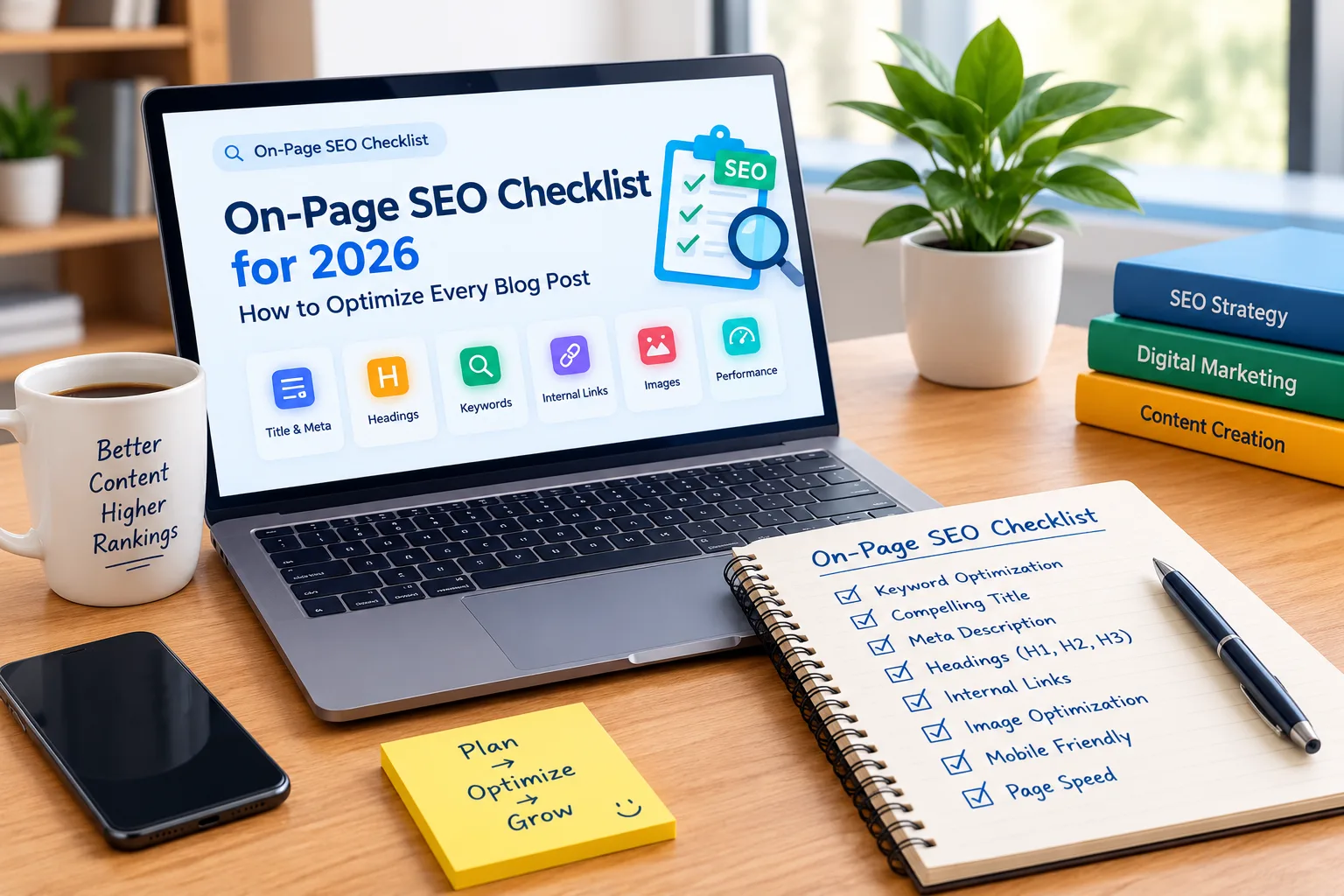

An effective On-Page SEO Checklist can help you optimize your blog posts, improve search visibility, and create a better experience for your readers. Publishing quality content is important, but your blog also needs the right titles, headings, keywords, images, internal links, and technical elements.
In 2026, successful on-page SEO is about more than adding keywords. You need to understand search intent, answer readers’ questions clearly, organize information logically, and make your content easy to use on mobile devices.
In this guide, we will walk through a practical On-Page SEO Checklist that you can follow before publishing any blog post on your website.
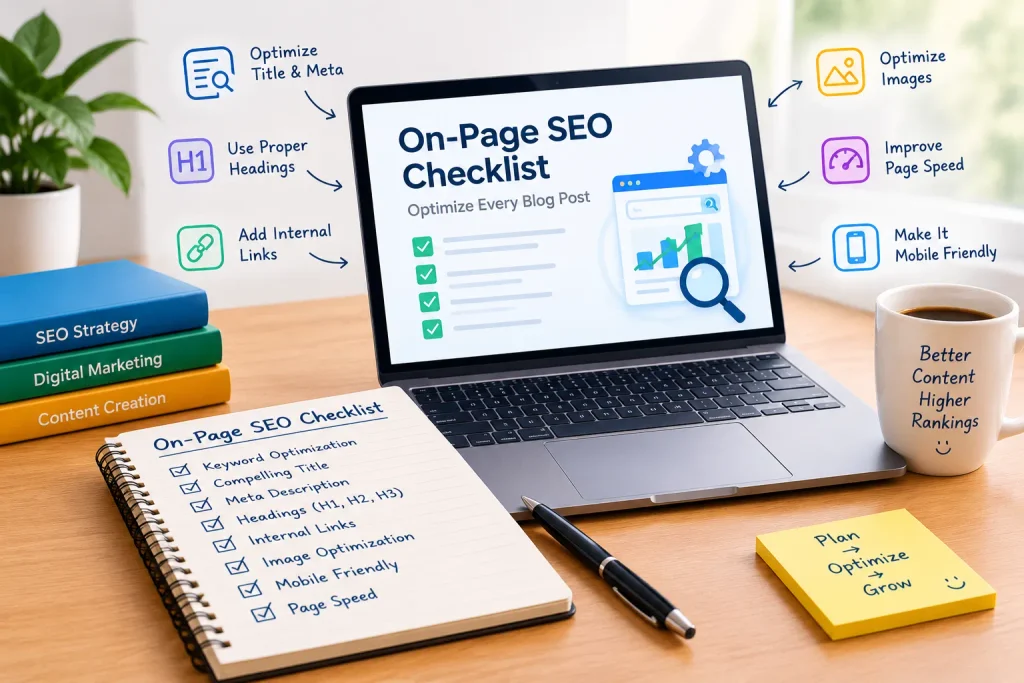
What Is On-Page SEO?
On-page SEO is the process of optimizing individual web pages so search engines and readers can understand their content. It includes improving title tags, meta descriptions, headings, URLs, images, internal links, and the overall quality of your content.
Following an On-Page SEO Checklist helps you avoid common optimization mistakes and gives every blog post a clear structure.
Unlike off-page SEO, which focuses on factors such as backlinks and brand mentions, on-page SEO focuses primarily on elements you can control directly on your website.
Why Is an On-Page SEO Checklist Important?
A consistent On-Page SEO Checklist makes blog optimization easier and more organized. Instead of guessing what to improve, you can review the same important elements before publishing each article.
Here are some key benefits:
- Better content relevance: Helps you align your article with what readers are searching for.
- Improved readability: Makes content easier to scan and understand.
- Clear page structure: Helps readers and search engines understand the main topics.
- Better user experience: Encourages you to check links, images, mobile usability, and page performance.
- Fewer SEO mistakes: Helps you identify missing titles, descriptions, and other important elements.
Remember that on-page optimization does not guarantee a particular ranking. It works best alongside helpful content, good technical SEO, and a strong overall website.
The Complete On-Page SEO Checklist for 2026
Use the following steps to optimize your next blog post before publishing it.
1. Choose the Right Focus Keyword
Keyword research is the starting point of an effective On-Page SEO Checklist. Before writing your article, identify the main search phrase your target audience is likely to use.
For this article, the primary focus keyword is On-Page SEO Checklist.
When selecting a focus keyword, consider the following:
- Is the keyword relevant to your website and audience?
- Does the content match the search intent?
- Can you answer the reader’s question thoroughly?
- Are there related phrases that naturally fit the topic?
You can use keyword research tools to discover related search terms and questions. Choose one primary keyword and use relevant variations where they make sense.
Avoid repeating the same keyword unnaturally. Search engines are designed to understand topics and context, so clear and useful content matters more than forced repetition.
2. Write an SEO-Friendly Title
Your title helps readers understand what the article offers. It can also appear as the title link in search results, depending on how Google displays your page.
A good On-Page SEO Checklist should always include a review of the SEO title.
Follow these tips:
- Include your primary keyword naturally.
- Make the topic clear.
- Give readers a realistic reason to click.
- Keep the title concise and descriptive.
- Avoid misleading claims and unnecessary repetition.
Example SEO title:
On-Page SEO Checklist for 2026: How to Optimize Every Blog Post
This title includes the target keyword and clearly communicates the article’s purpose.
3. Optimize Your Meta Description
A meta description summarizes what readers can expect from your page. Search engines may use it to create a search result snippet, although they can also generate a different snippet from your content.
As part of your On-Page SEO Checklist, write a unique meta description for every important blog post.
Your meta description should:
- Summarize the article accurately.
- Include the focus keyword naturally.
- Highlight the main benefit of reading the article.
- Encourage relevant readers to click.
- Avoid keyword stuffing.
Example meta description:
Use this On-Page SEO Checklist for 2026 to optimize blog titles, headings, keywords, images, internal links, and WordPress content.
Make sure the description accurately reflects the information in your article.
4. Create a Short, Descriptive URL
A clean URL makes a page address easier to read and understand. Keep it relevant to the article and avoid unnecessary words or numbers.
For this article, a suitable URL slug is:
on-page-seo-checklist
Your On-Page SEO Checklist should include a URL review before publication.
For better URL structure:
- Use descriptive words.
- Separate words with hyphens.
- Keep the slug reasonably short.
- Avoid unnecessary parameters in the main permalink.
- Do not change an established URL without considering redirects and existing links.
If your post is already published and indexed, changing its URL can affect visitors and search engines. Plan the change carefully and use an appropriate redirect when necessary.
5. Organize Your Content With Proper Headings
Headings divide your article into clear sections and help readers find information quickly. They also provide useful context about the structure of your content.
A practical On-Page SEO Checklist includes a review of your heading hierarchy.
Use headings like this:
- H1: The main article title.
- H2: Major sections of the article.
- H3: Supporting points within an H2 section.
For example:
- H1: On-Page SEO Checklist for 2026
- H2: Why Is an On-Page SEO Checklist Important?
- H2: The Complete On-Page SEO Checklist
- H3: Optimize Your Images
- H3: Add Relevant Internal Links
Use headings to organize meaningful sections, not simply to insert more keywords. In WordPress, the post title often automatically becomes the H1, so check your theme before adding another one manually.
6. Use Your Focus Keyword Naturally
Keyword placement is an important part of your On-Page SEO Checklist, but natural writing should always come first.
Consider using your primary keyword in relevant locations, such as:
- The SEO title.
- The introduction.
- One or more relevant subheadings, where appropriate.
- The main body of the article.
- The meta description.
- The URL slug, when suitable.
- Image alt text only when it accurately describes the image.
You do not need to place the exact phrase in every paragraph. Use related terms and answer relevant questions naturally.
If Rank Math reports low keyword density, review the article length and its wording before making changes. Adding the same phrase repeatedly just to improve a score can make your content less useful.
7. Publish Helpful, Original Content
High-quality content is the foundation of a reliable On-Page SEO Checklist. Your article should answer the reader’s question more effectively than a page that merely repeats common advice.
Before publishing, ask yourself:
- Does the introduction explain what the reader will learn?
- Does every section provide useful information?
- Have you included practical examples where they help?
- Is the information accurate and up to date?
- Have you removed unnecessary repetition?
- Does the article deliver what the title promises?
Write for your intended audience rather than creating content solely to satisfy an SEO plugin. Add your own explanations, experience, examples, or insights wherever possible.
8. Optimize Images and Add Descriptive Alt Text
Images can make a blog post easier to understand, but they should be relevant and appropriately optimized.
Include image optimization in your On-Page SEO Checklist.
Follow these practices:
- Use images that support the article.
- Compress image files to reduce their size.
- Choose suitable image dimensions.
- Use descriptive file names when practical.
- Add useful alt text to informative images.
- Avoid adding keywords to alt text when they do not describe the image.
Example image file name:
on-page-seo-checklist-2026.webp
Example alt text:
On-page SEO checklist for optimizing blog content
Alt text should describe the actual image and its purpose. If an image is purely decorative, an empty alt attribute may be appropriate. Do not use the same keyword-filled alt text for every image.
9. Add Relevant Internal Links
Internal links connect one page of your website to another. They help readers discover related information and provide useful context about the pages on your site.
Every On-Page SEO Checklist should include a review of internal linking opportunities.
For Vyyntra, you can link this article to related posts, such as:
- 5 High-ROI Digital Marketing Strategies to Scale Business Growth in 2026
- How to Build a High-Converting Digital Marketing Funnel in 2026
- SEO vs Paid Ads: Which Digital Marketing Channel Should Your Business Invest In?
- How to Do Keyword Research for SEO in 2026: A Beginner’s Guide
Use descriptive anchor text that tells readers what they will find after clicking. Only add links that are relevant to the surrounding discussion, and confirm that every link works.
Internal linking helps connect your content, but adding links indiscriminately will not automatically improve rankings.
10. Link to Reliable External Sources
External links can help readers verify facts or explore authoritative information in more detail.
As part of your On-Page SEO Checklist, link to trustworthy sources when they genuinely support your content.
For SEO topics, useful resources include:
- Google Search Central documentation.
- Google’s SEO Starter Guide.
- Google’s guidance on creating helpful, reliable, people-first content.
Choose sources that directly support your statements. You do not need to add external links to every paragraph, and linking to a website does not automatically guarantee an SEO benefit.
11. Improve Readability and Formatting
Readers often scan blog posts before deciding which sections to read. Clear formatting makes it easier to find answers.
A reader-friendly On-Page SEO Checklist should cover:
- Short, focused paragraphs.
- Clear headings and subheadings.
- Bullet points for lists.
- Simple explanations of technical terms.
- Examples where they make a concept clearer.
- Consistent formatting throughout the article.
Avoid unnecessary filler and repetitive sentences. If a paragraph does not answer a question or help the reader, consider shortening it or removing it.
12. Check Mobile Friendliness
Many people browse websites on smartphones. Your article should remain easy to read and use on smaller screens.
Include a mobile review in your On-Page SEO Checklist.
Check that:
- Text is readable without zooming.
- Images fit within the screen.
- Links and buttons are easy to tap.
- Headings wrap naturally.
- Tables do not create awkward horizontal scrolling.
- Pop-ups do not block important content.
Preview your post on a mobile device or use your browser’s responsive testing tools. A page that looks good on a desktop may need formatting adjustments for mobile visitors.
13. Review Page Speed and Core Web Vitals
Page performance affects how people experience your website. Slow pages, unstable layouts, or delayed interactions can frustrate visitors.
Your On-Page SEO Checklist should include basic performance checks, especially for image-heavy posts.
Consider these improvements:
- Compress and resize images.
- Use modern image formats when appropriate.
- Avoid unnecessary plugins and scripts.
- Use reliable hosting.
- Enable suitable caching where available.
- Check whether advertisements or embeds affect loading performance.
Google’s Core Web Vitals measure loading performance, responsiveness, and visual stability. You can review your site’s performance using Google PageSpeed Insights.
Do not assume that every slow page needs the same fix. Use performance reports to identify the actual problems before making changes.
14. Configure Rank Math SEO Settings
If you use WordPress, Rank Math can help you review common on-page SEO elements. It provides checks and recommendations, but its score is not a direct measure of Google rankings.
Include these items in your On-Page SEO Checklist before publishing:
- Add the focus keyword.
- Write a clear SEO title.
- Add a unique meta description.
- Review the permalink.
- Check the content and heading structure.
- Add descriptive image alt text where appropriate.
- Review internal and external links.
- Check the post preview and indexing settings.
For this article, start with these Rank Math settings:
Focus Keyword: On-Page SEO Checklist
SEO Title: On-Page SEO Checklist for 2026: How to Optimize Every Blog Post
Permalink: on-page-seo-checklist
Meta Description: Use this On-Page SEO Checklist for 2026 to optimize blog titles, headings, keywords, images, internal links, and WordPress content.
Aim for a strong Rank Math score by addressing relevant recommendations, not by forcing every test to pass. Some suggestions may not apply to every article.
15. Add a Clear Conclusion and Next Step
A useful conclusion summarizes the article’s main takeaway and helps readers decide what to do next.
For an effective On-Page SEO Checklist, end by reminding readers to review the important elements before publishing: content quality, titles, descriptions, headings, images, links, mobile usability, and performance.
You can also guide readers toward a related article on your website. For example, link to your keyword research guide if they want to learn how to choose target search terms before writing.
Make sure any call to action is relevant and helpful rather than distracting from the article.
On-Page SEO Checklist: Final Review Before Publishing
Use this quick checklist every time you publish a new blog post.
- Choose a relevant focus keyword.
- Match the content to search intent.
- Write a clear and descriptive SEO title.
- Add a unique meta description.
- Create a short, descriptive URL.
- Organize the article with logical headings.
- Use the focus keyword naturally.
- Publish helpful, original content.
- Optimize images and write accurate alt text.
- Add relevant internal links.
- Cite reliable external sources where useful.
- Improve readability and formatting.
- Check the mobile layout.
- Review page speed and performance.
- Configure the relevant Rank Math settings.
- Check links, spelling, and the final preview.
Following this On-Page SEO Checklist consistently can help you create more organized, useful, and search-friendly blog posts.
Frequently Asked Questions
1. What is an On-Page SEO Checklist?
An On-Page SEO Checklist is a list of elements to review when optimizing a web page. It commonly includes the title tag, meta description, URL, headings, content quality, keyword use, images, internal links, and page experience.
2. How often should I use an On-Page SEO Checklist?
Use it whenever you publish a new blog post. You can also use it when reviewing existing content, especially when information becomes outdated or a page needs improvement.
3. How many times should I use my focus keyword?
There is no universal keyword-density percentage that guarantees better rankings. Use the keyword where it fits naturally and make sure the article clearly addresses the topic. Avoid repeating the phrase solely to increase a plugin score.
4. Is Rank Math enough for on-page SEO?
Rank Math can help you check common SEO elements, but it cannot replace useful content, accurate information, good website performance, or an understanding of your audience. Treat its recommendations as guidance rather than a guarantee of rankings.
5. Does on-page SEO guarantee first-page rankings?
No. On-page SEO can help search engines understand your content, but rankings depend on many factors, including relevance, competition, content quality, and overall site performance. No checklist can guarantee a specific position.
Visit Home